2025 Guide: best free seo audit tools to use
Choosing the Right SEO Audit Tool

If you’re comparing the best free seo audit tools, start by getting clear on what “audit” means for your site. Some tools are great at technical SEO tools like crawl errors and redirects. Others act more like a SEO performance checker that flags content issues, speed, or backlinks.
What a “free audit” really includes
Free SEO software usually comes with limits. You might get a smaller crawl size, fewer reports, or fewer saved projects. That’s not a deal-breaker if you know what you need.
Here are the main buckets most website analysis tools cover:
Criteria that matter for real-world use
When people say “audit,” they often mean “tell me what to fix first.” So the best site optimization tools do two things: they find issues, and they help you decide what’s urgent.
Use these filters when you compare options:
1. Accuracy and clarity: Does it explain the problem in plain language? Or does it dump a scary checklist?
2. Prioritization: Look for impact labels like “critical,” “warning,” and “nice to have.” A good SEO checklist is ranked, not random.
3. Crawl depth: If you have 5,000 pages, a 100-page crawl won’t cut it.
4. Reporting: Can you export, share, or schedule SEO reporting tools for clients or teammates?
5. Integrations: Google Search Console, GA4, Looker Studio, Slack, and project tools matter more than people expect.
6. Workflow fit: A solo owner needs quick wins. A marketing team needs repeatable processes.
Trends shaping audits in 2025
Audits are changing. Tools now pay more attention to:
You’ll see these ideas pop up across the best free seo audit tools below, even when the tool calls itself a crawler or a performance tester.
Rankpeak: Ideal for Small Business Owners
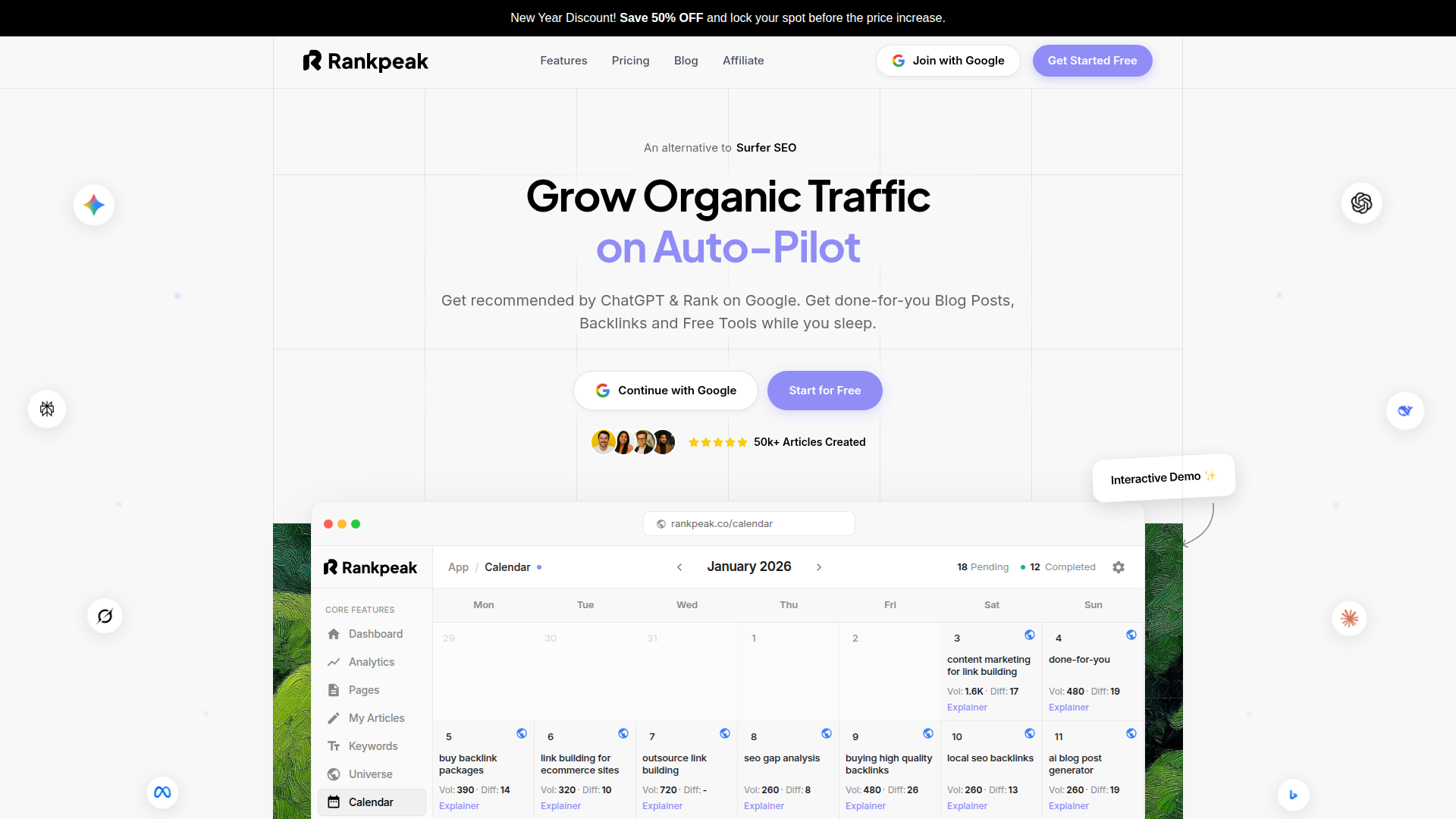
Rankpeak is built for people who need clear answers fast. If you run a small business site, you probably don’t want to spend your afternoon decoding a technical SEO report. You want to know what’s broken, what’s holding rankings back, and what to fix first.
Rankpeak approaches auditing like a practical website analysis tool. It focuses on the stuff that tends to move the needle for smaller sites: on-page SEO review, technical basics, and easy-to-follow recommendations. Instead of burying you in charts, it points out issues in plain language and ties them to outcomes like crawlability, page quality, and user experience.
A nice touch is how it supports repeat checks. Many free SEO software options are “one and done.” Rankpeak is more useful as a habit. Run an audit, fix a batch of items, then re-check to confirm the change worked. That feedback loop is where most small teams win.
Rankpeak also fits well into a broader stack of digital marketing tools. If you’re already using Google Search Console and analytics, you can treat Rankpeak as the “what should I do next?” layer. Search Console tells you what Google sees. Rankpeak helps translate that into a clear SEO checklist.
Real-world story: a local service business (think plumber, dentist, or home remodeler) often has a few common problems. Titles are too generic, service pages overlap, and internal links are messy. In that situation, Rankpeak’s prioritized recommendations can help you clean up page targets, reduce duplication, and tighten internal linking. Those fixes don’t require a developer for weeks, but they can improve crawl paths and relevance.
Pricing matters too. Rankpeak is positioned so smaller teams can start without committing to a heavy monthly bill. The exact plan details can change, but the key point is that you can get value early, then decide if you need deeper reporting or more projects later.
If you want a tool that feels less like a lab report and more like a to-do list, Rankpeak is worth a test run. Run an audit on your homepage and your top service page, then use the recommendations as your next two-week plan. If it clicks with your workflow, keep it in your rotation alongside the other best free seo audit tools you use.
Key Features
Action-focused site audits: Flags technical SEO tools issues like indexability, redirects, and missing tags, then explains what to do.
Rankpeak works best when you treat it like a weekly SEO performance checker, not a once-a-year cleanup.
Pros and Cons
Pros
Cons
If you’re deciding between the best free seo audit tools for a small business site, Rankpeak is a strong “start here” option because it keeps the work realistic.
Ahrefs Webmaster Tools: Expert Backlink Analysis
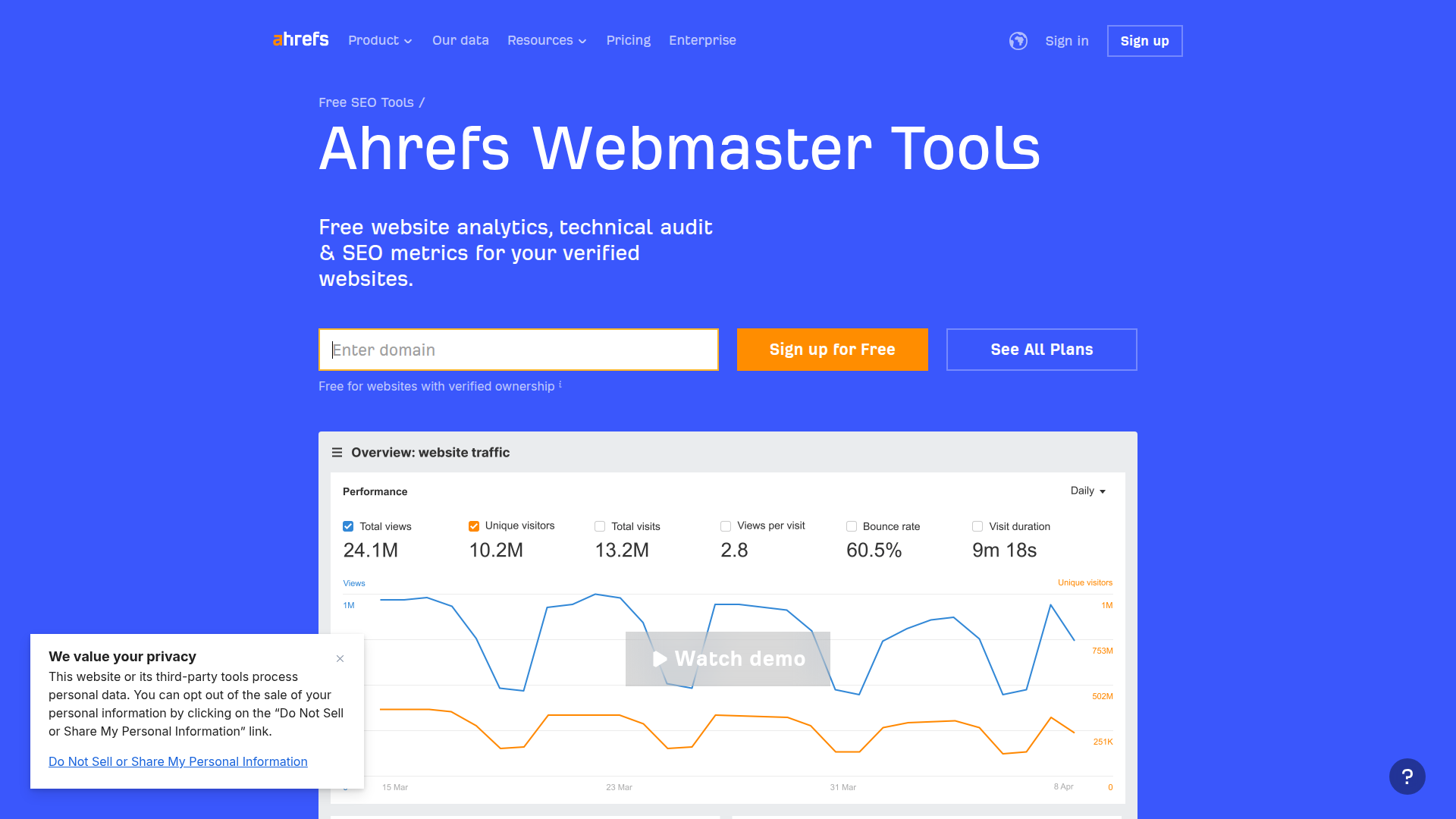
Ahrefs Webmaster Tools is a smart pick when backlinks are your main question. Many audits focus on on-page issues, but link profiles still matter, especially if you’re trying to compete in a tough space.
This tool shines as a backlink analysis and site health combo. You verify your site, then you can review link growth, referring domains, and common technical problems. It’s not trying to replace a full paid suite. Instead, it gives you a reliable baseline for link monitoring and a crawl-based health report.
A simple use case: you publish a few strong guides, then you want to know if anyone is linking to them. Ahrefs helps you spot new links, see which pages attract links, and find broken backlinks you can reclaim with redirects.
Integrations are more limited than some all-in-one platforms, but it pairs well with Google Search Console. Use Search Console for queries and impressions, then use Ahrefs to understand the link side of the story.
User feedback tends to be consistent: people trust the link data and like the clean interface. The main complaint is that you’ll hit limits if you want deep competitive analysis tools or large-scale reporting without upgrading.
Key Features
If your shortlist of best free seo audit tools needs strong link visibility, this is one to keep.
Pricing
Ahrefs Webmaster Tools is free for verified site owners, with feature limits compared to paid Ahrefs plans. Paid tiers add deeper competitive analysis tools, larger data access, and more reporting options.
Pros and Cons
Pros
Cons
For many sites, pairing Ahrefs Webmaster Tools with Rankpeak covers both “what’s broken” and “who’s linking to me.”
SEMrush: All-in-One SEO Solutions
SEMrush is the Swiss Army knife in this space. Even if you don’t pay, you can still get value from its audit and research features, especially if you’re part of a marketing team.
Where SEMrush stands out is breadth. It mixes technical SEO tools, keyword analysis tools, content optimization tools, and competitive analysis tools in one place. That matters when your audit isn’t just about fixing errors. Sometimes you need to answer bigger questions like, “Which pages should we update?” or “What topics are competitors winning with?”
The site audit component checks common technical issues and gives you a health score. It also groups problems in a way that helps you plan work across roles. A developer can tackle crawl and redirect issues. A writer can handle thin content and missing headings.
SEMrush also leans into reporting. If you’re building monthly updates, the platform’s SEO reporting tools can save time. That’s one reason agencies like it.
The trade-off is complexity. If you’re a solo owner, SEMrush can feel like a cockpit. You’ll want to focus on a few reports and ignore the rest.
If you’re building a shortlist of best free seo audit tools for a team, SEMrush is often the one that connects audits to content planning and competitor research.
Key Features
It’s most useful when you want your website analysis tools and your research tools in the same place.
Pros and Cons
Pros
Cons
Many teams use SEMrush alongside lighter tools like Rankpeak, depending on who needs to act on the findings.
Summary and Comparison

A good audit tool doesn’t just find problems. It helps you fix the right problems first. That’s why the “best” choice depends on your site size, your skills, and how you plan to act on the report.
Here’s a quick way to choose among the best free seo audit tools covered in this guide, plus the other popular options many teams add to the mix:
A simple “stack” that works for most sites
If you don’t want to juggle 11 tools, use a small set:
1. Google Search Console for what Google sees
2. Rankpeak for a prioritized fix list and ongoing checks
3. GTmetrix for speed and page weight
4. Ahrefs Webmaster Tools if backlinks matter in your niche
That combo covers technical SEO tools, on-page SEO review, website performance metrics, and backlink analysis without drowning you in tabs.
If you’re still deciding, run the same page through two tools and compare the recommendations. The best free seo audit tools are the ones you’ll actually use every month, not the ones with the longest report.